
A teacher's guide to customizable reading tools
Every fourth grader has a favorite story. They can tell you the plot, remember every detail you read aloud, have strong opinions about which character deserves better, and ask for the sequel before you've finished the first book. Put a page of text in front of them to read on their own, though, and things can look different from one student to the next. Some zoom right through. Some like a little more time. Some want to hear the story first, and some want it in the language they speak at home.
Educators see this every day, so you already know that no two readers are alike. The tools around them can be just as varied.
Print and digital, side by side
A paperback in the reading corner, an audiobook on the bus, a favorite series on a tablet at home: it all counts as reading. Print and digital aren't rivals, they go hand in hand. Plenty of students enjoy both, and many classrooms use both depending on the student, the book, and the moment. The idea is simply more ways in, so each reader can find the mix that feels right.
A few ways to customize the experience
Here are some options a digital library tool like Sora can add to your toolkit. You know what works best for your students—take what you need and leave the rest:
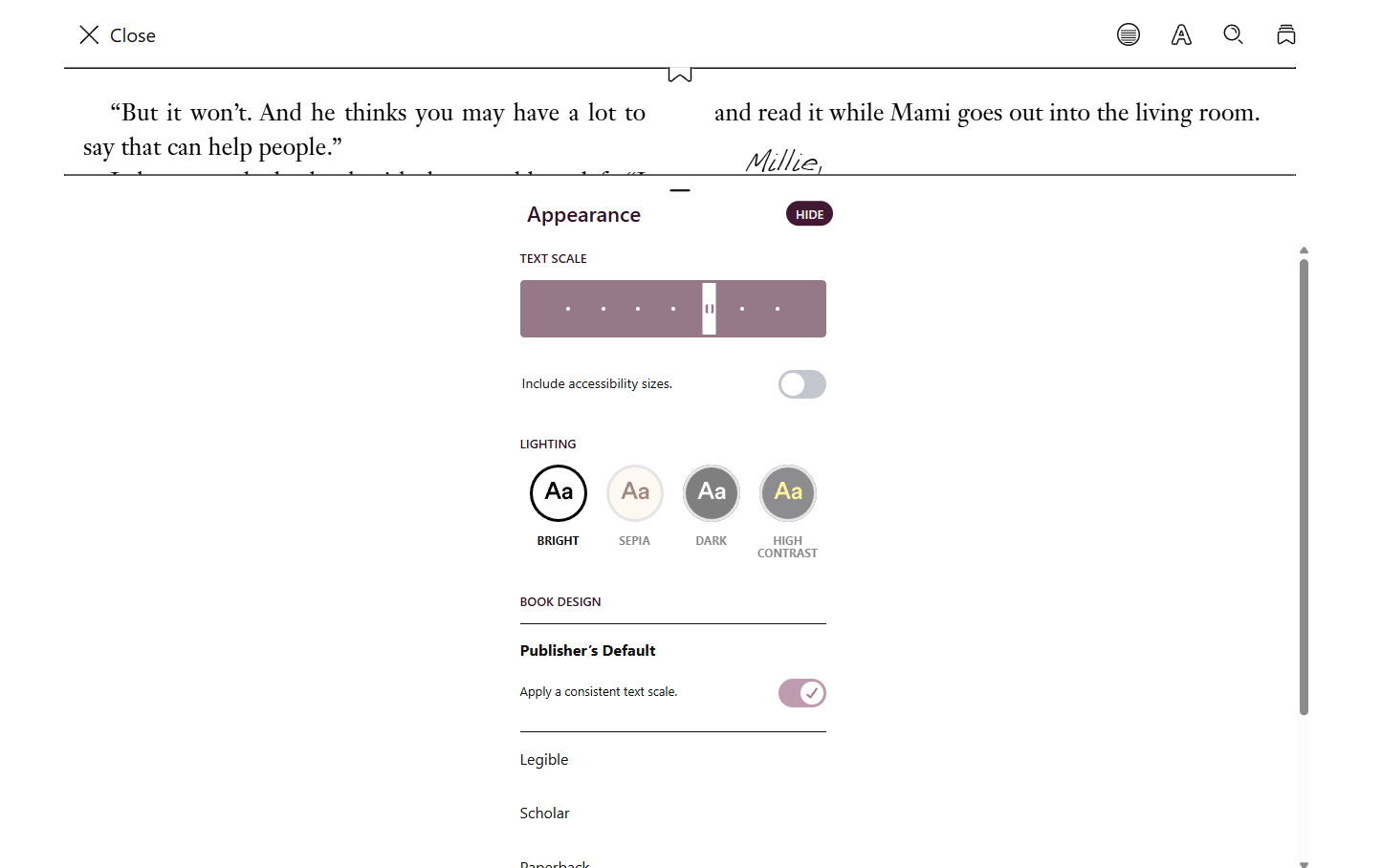
Display settings. Readers can adjust how the page looks, including text size, spacing, and lighting style. Sora remembers those settings the next time they open a book on the same device. The entire app can also be displayed in high contrast mode, offering support for visually impaired learners. Students can select a typeface that’s easiest for them to read.
Read-alongs and audiobooks. Students can listen while following the text on the page, and they can choose a narration speed that suits them. This gives emerging readers additional modeling of fluent reading and may help them comprehend grade-level texts that may be too challenging without helpful scaffolds.
Read to Me. Students can use the text-to-speech feature, Read to Me, in Sora’s ebooks to help them decode challenging passages.
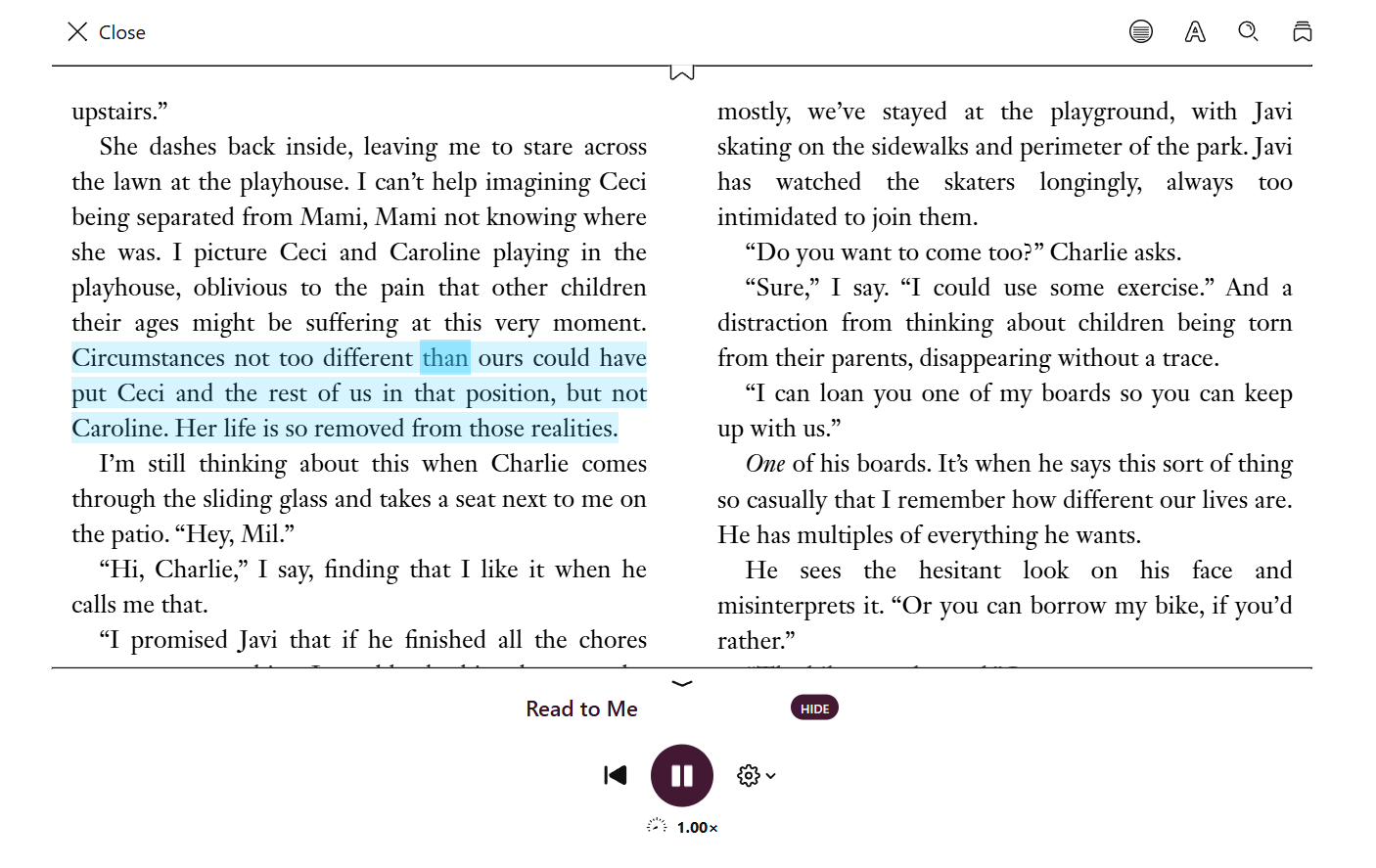
Vocabulary and comprehension support. Students can look up definitions and hear pronunciations as they read. They can highlight texts and take notes along the way—and they retain access to their observations long after a book’s been returned.
Language options. The app interface is available in multiple languages, and Sora has titles in several languages, creating opportunities for families to read together.

Finding the right fit
Customization isn't only about the page. Sora lets students browse by interest, reading level (including Lexile and Accelerated Reader levels), and availability, helping them find the content most likely to fit their reading profile. Reading goals and achievements celebrate students exploring books and reaching reading milestones.
Reading beyond the classroom
Because Sora works on the devices students already use and syncs their progress , a story they start during independent reading can continue at home. A read-along can become something a family shares, building a student’s text-to-self and text-to-world connections.
For your school community
Sora follows the Web Content Accessibility Guidelines (WCAG), and is screen-reader compatible. Features like audiobooks, adjustable display settings, and text-to-speech may support IEPs, 504s, and MTSS interventions.
For more on how Sora supports readers with different needs — screen reader compatibility, high contrast mode, and more — the OverDrive Resource Center has the full breakdown, plus a downloadable accessibility marketing kit if you want to spread the word to your school community.
Published Oct 08, 2026

Maddi Hebebrand
Maddi Hebebrand is an integrated marketing specialist for Sora. When she's not working or reading, she can be found playing with her pets, attending local concerts, or spending time with friends and family. While Maddi loves reading across genres, some of her favorite titles include the Dungeon Crawler Carl series by Matt Dinniman, Mary by Nat Cassidy and Witchcraft for Wayward Girls by Grady Hendrix.